
Your complete client journey
From requesting account access to tracking project completion - understand every step of working with 4rend Studio.
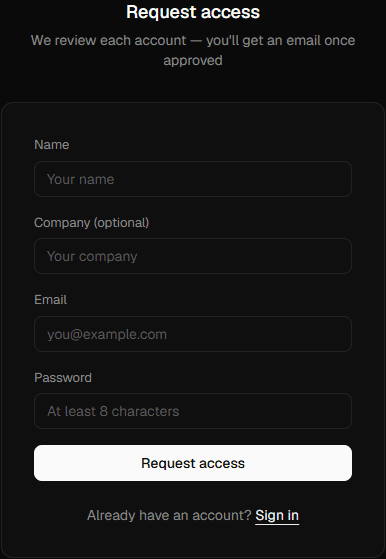
Request access
Register with your business details. We keep the studio invite-only so every client gets dedicated attention and consistent quality.
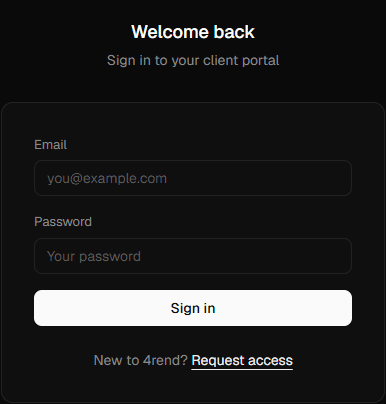
Get approved
Our team reviews your request — usually within 24 hours. You'll get an email the moment your account is live, and you can sign in and start ordering right away.
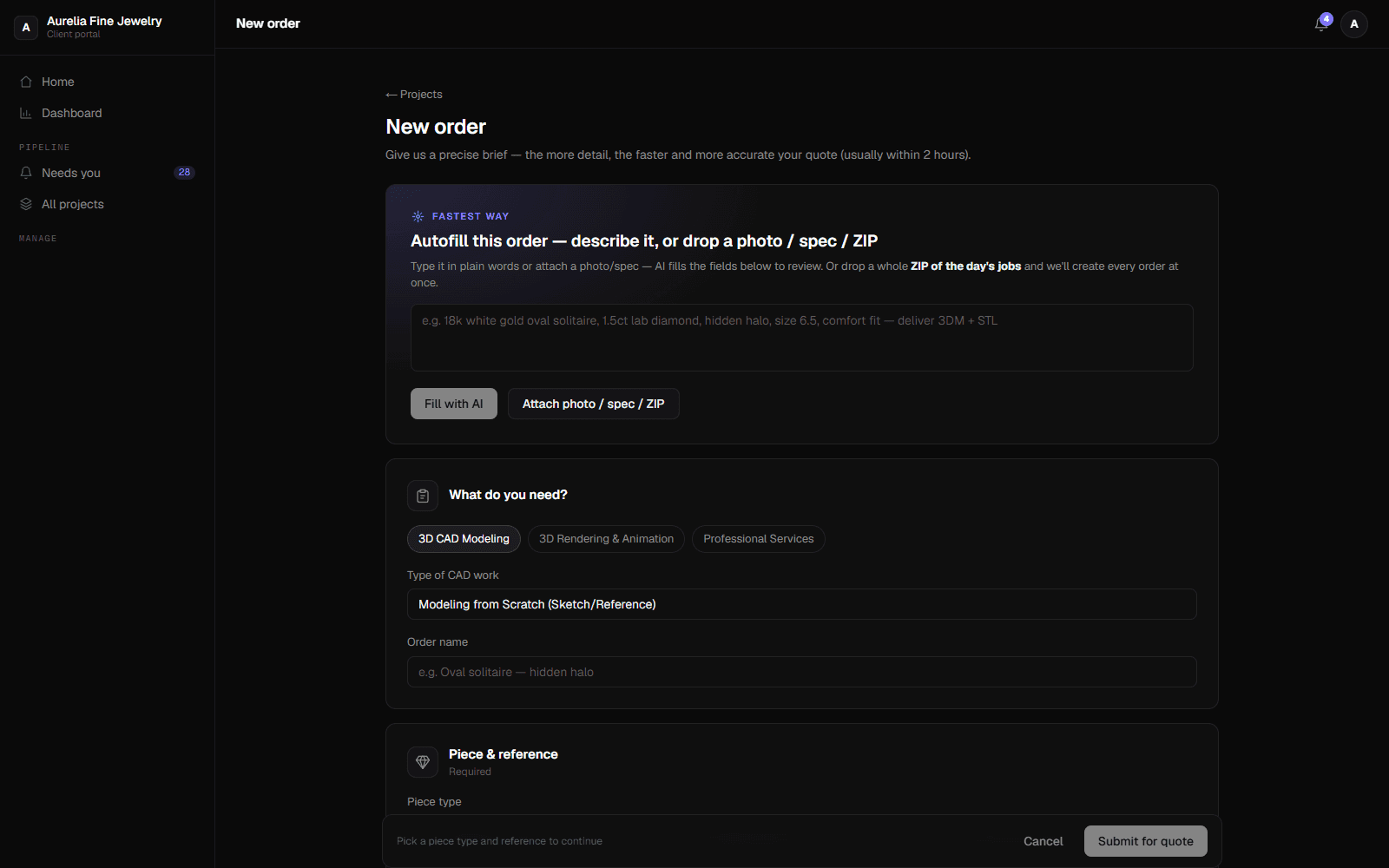
Create an order
Pick the service, then either fill the brief yourself or paste a description / drop a photo and let AI autofill it. Every order needs at least one reference image or file so the whole team knows exactly what to make.
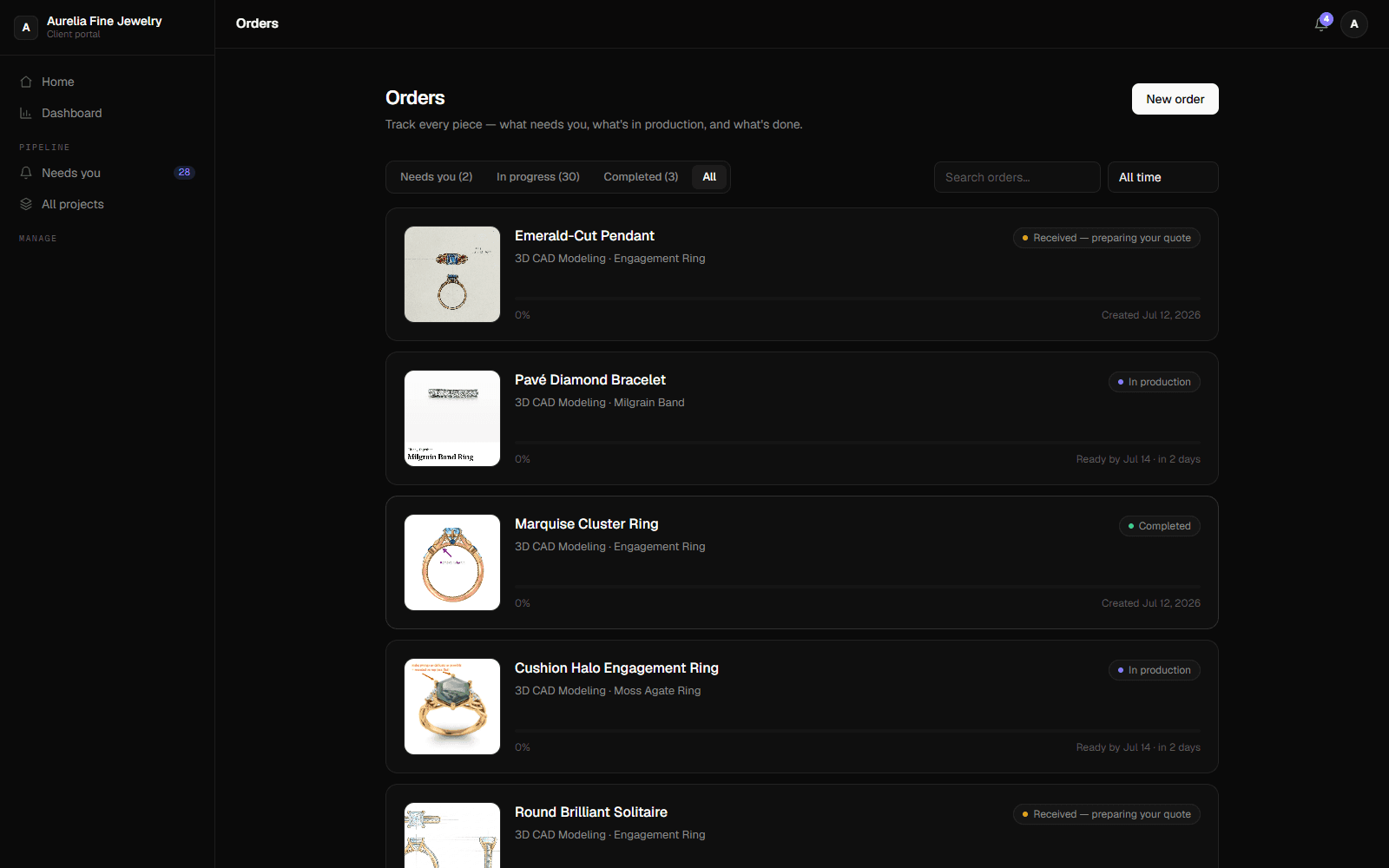
Every order in one place
Your portal lists every piece with a reference photo, a plain-language status and a progress bar — filter by what needs you, what's in production, and what's done. No more chasing updates over email.
Track it live & talk to us
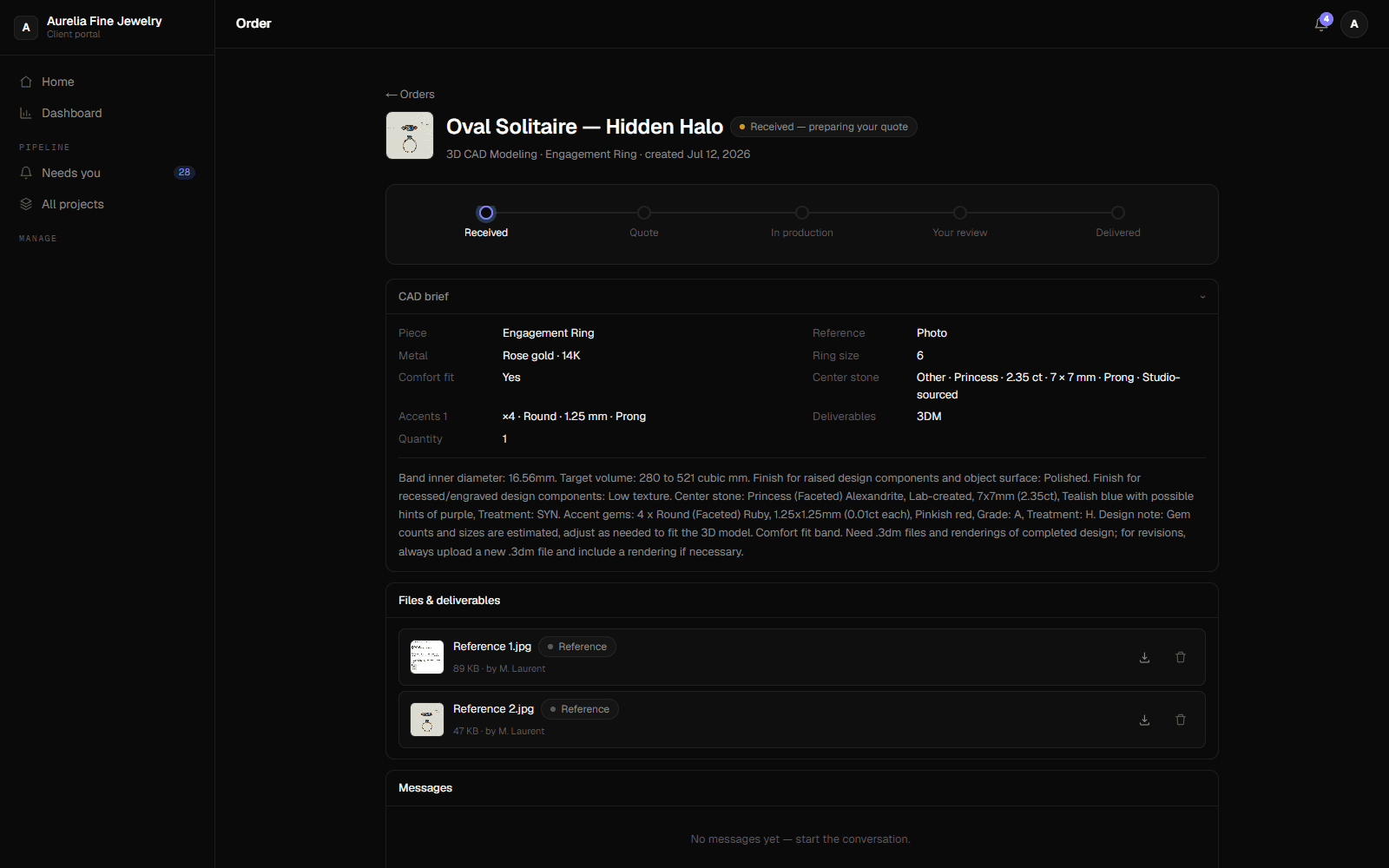
Open any order for its exact stage — Received → Quote → In production → Your review → Delivered — with the price, an estimated ready date, a full activity log, and a message thread straight to the studio.
Approve, download & review your dashboard
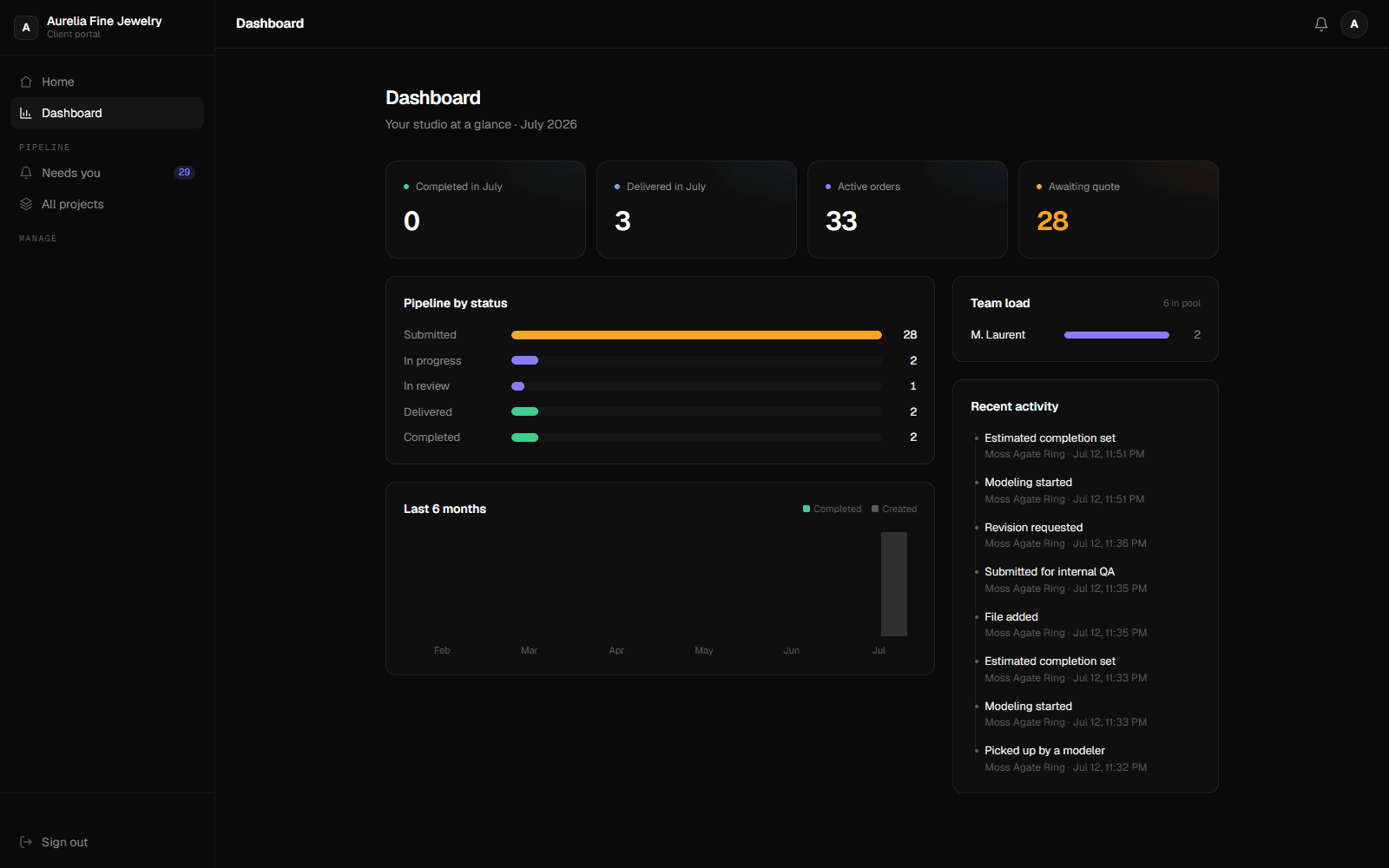
Approve the delivery or request a revision in one click, then securely download your production-ready CAD and 4K renders. Your dashboard shows what's in production, delivered and awaiting a quote at a glance.
Everything you get in the portal
A private workspace to place orders, follow every piece in real time, talk to the studio, and receive your files — all in one place.
Live status on every order
A plain-language stage — Received, In production, Your review, Delivered — with a progress bar and an estimated ready date, updated in real time.
- Received → Delivered stages
- Progress bar & ETA
- Updates in real time
Find any piece fast
Search by name and filter by what needs you, what's in production and what's done — across every order you've ever placed.
- Search by name
- Filter by stage
- Full order history
Talk on the order
A message thread on every order goes straight to the studio and the assigned modeler — no lost email chains, all context in one place.
- Per-order messaging
- Reaches the right modeler
- All context together
A reference on every card
Every order carries at least one reference image, shown right on the card — so you recognize the piece instantly, without opening it.
- Reference photo required
- Shown on the card
- No ambiguous orders
Transparent pricing
See the price on each order — an instant rate if you have an agreed card, or a quote within hours. A running balance and statements keep billing clear.
- Price on every order
- Instant rate or fast quote
- Running balance & statements
Secure delivery
Approve in one click, then download production-ready CAD files and 4K renders securely from the order — your whole archive stays a click away.
- Production-ready CAD
- 4K render delivery
- Always-available archive
Process Questions & Answers
How long does account approval take?
Usually within 24 hours. We review each request to keep the studio invite-only, then email you the moment your account is live — you can sign in and place your first order right away.
Do I have to attach a reference?
Yes — every order needs at least one reference image or file (a sketch, a photo, a spec or an existing CAD). It shows on the order card so you, and the modeler, can recognize the piece at a glance and there are no empty or ambiguous jobs.
How do I track my order?
Open any order in your portal to see its exact stage — Received → Quote → In production → Your review → Delivered — plus the price, an estimated ready date, a progress bar, a full activity log, and a message thread straight to the studio.
How does pricing work?
You always see the price on the order. If you have an agreed rate card, orders are priced instantly; otherwise we send a quote — usually within 2 hours. Your dashboard and billing view show a running balance and periodic statements.
How do I review the work?
When a piece is ready it moves to “Your review”. Open it to see the deliverables, then approve in one click or request a revision with a note — the assigned modeler is notified immediately.
When and how do I get my files?
Once you approve a delivery, download your production-ready CAD and 4K renders securely from the order page. Files stay available on the order, so your whole order history is always one click away.