
Chess — Cinema 4D Jewelry Studio
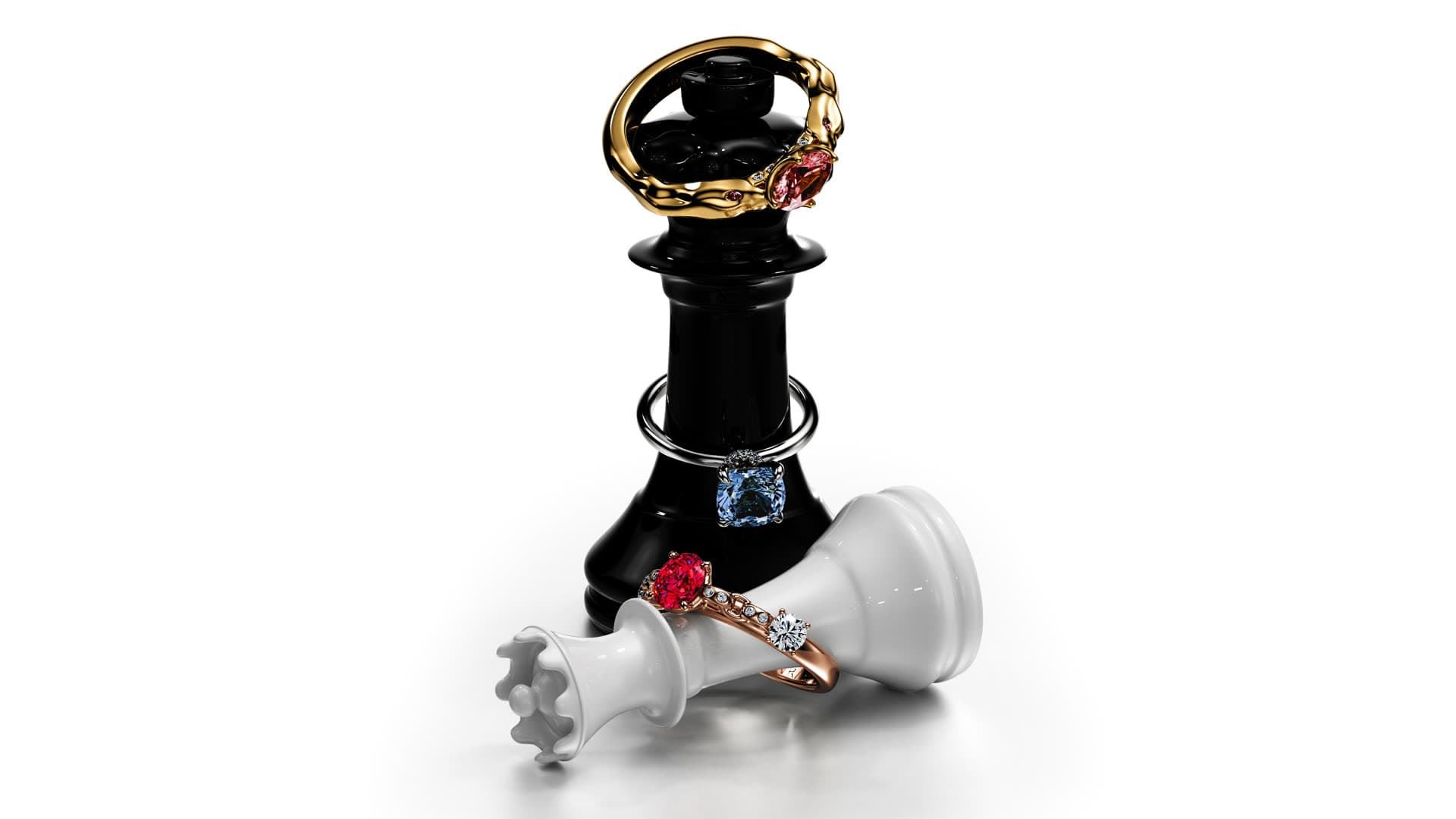
A dramatic editorial chess scene for engagement and luxury jewelry — glossy black-and-white kings, gem-set rings and a clean white sweep. Drop in your piece and render.
Some pieces deserve a story, not just a background — engagement rings, statement stones and campaign hero shots. This free Cinema 4D scene gives you exactly that: glossy black-and-white chess kings staged on a clean white sweep, wrapped with gem-set rings in a bold, editorial composition. Everything is set up — the pieces, the studio lighting, the camera and a reflective floor. Open it, place your own ring on or around the chess pieces, and render a striking, magazine-ready image. It's the exact kind of scene we use in production, shared free for the design community.
What's included
- A staged chess scene — glossy black-and-white kings on a clean white sweep
- An editorial, campaign-style composition built for statement and engagement rings
- Studio lighting set up for crisp highlights and a premium, magazine look
- A reflective floor for elegant, high-end reflections
- A framed hero camera, ready to render
- Jewelry-ready materials — polished gold, rose gold, silver and colored-stone shaders you can reuse
- Sample rings placed in the scene so you can see the setup and swap in your own
How to use it
- 1Download & open
Grab the .c4d and open it in Cinema 4D R21 or newer. The chess pieces, lighting, camera and materials are already set up.
- 2Import your piece
Bring in your own ring or stone (File → Merge Object), or replace the sample rings staged on the chess pieces.
- 3Position in the frame
Place your model on or around the kings so it catches the studio light and floor reflection, using the existing camera.
- 4Assign materials & render
Apply the included metal and stone shaders (or your own), then hit render for a bold, editorial product image.
Requirements
- Cinema 4D R21 or newer (the .c4d scene file)
- A render engine to output images — the scene uses standard Cinema 4D materials and lighting; adapt the shaders to Redshift or Octane if that's your pipeline
- A GPU is recommended for fast renders; it works on CPU too
- About 1.5 GB of free disk space once opened
License
- Free for personal and commercial use — render and sell your own jewelry work with it.
- You may modify the scene, lighting and materials freely for your own projects.
- Please don't resell or redistribute the file itself, or pass it off as your own product.
- Attribution to 4rend Studio is appreciated but not required.
Get it — free
.zip → .c4d (scene file) · 453 MB · free for personal and commercial use.
Download free — 453 MBFrequently asked
Yes — it's completely free to download and use, including for commercial jewelry work. We only ask that you don't resell or redistribute the scene file itself.
Cinema 4D R21 or newer opens the .c4d scene file. The scene uses standard materials and lighting, so you can render it as-is or adapt the shaders to Redshift or Octane.
It's built for statement pieces — engagement rings, colored-stone rings and campaign hero shots where you want a bold, editorial mood. Stage your ring on the chess pieces and render.
Absolutely. Use the images for your store, portfolio, social media or client work. The scene is yours to render with — just don't resell the file itself.
Rather have us do it?
We model and render jewelry end to end — manufacturing-ready CAD and photoreal images, delivered worldwide.
Request a quote