
Teddy Bear — Blender Jewelry Studio
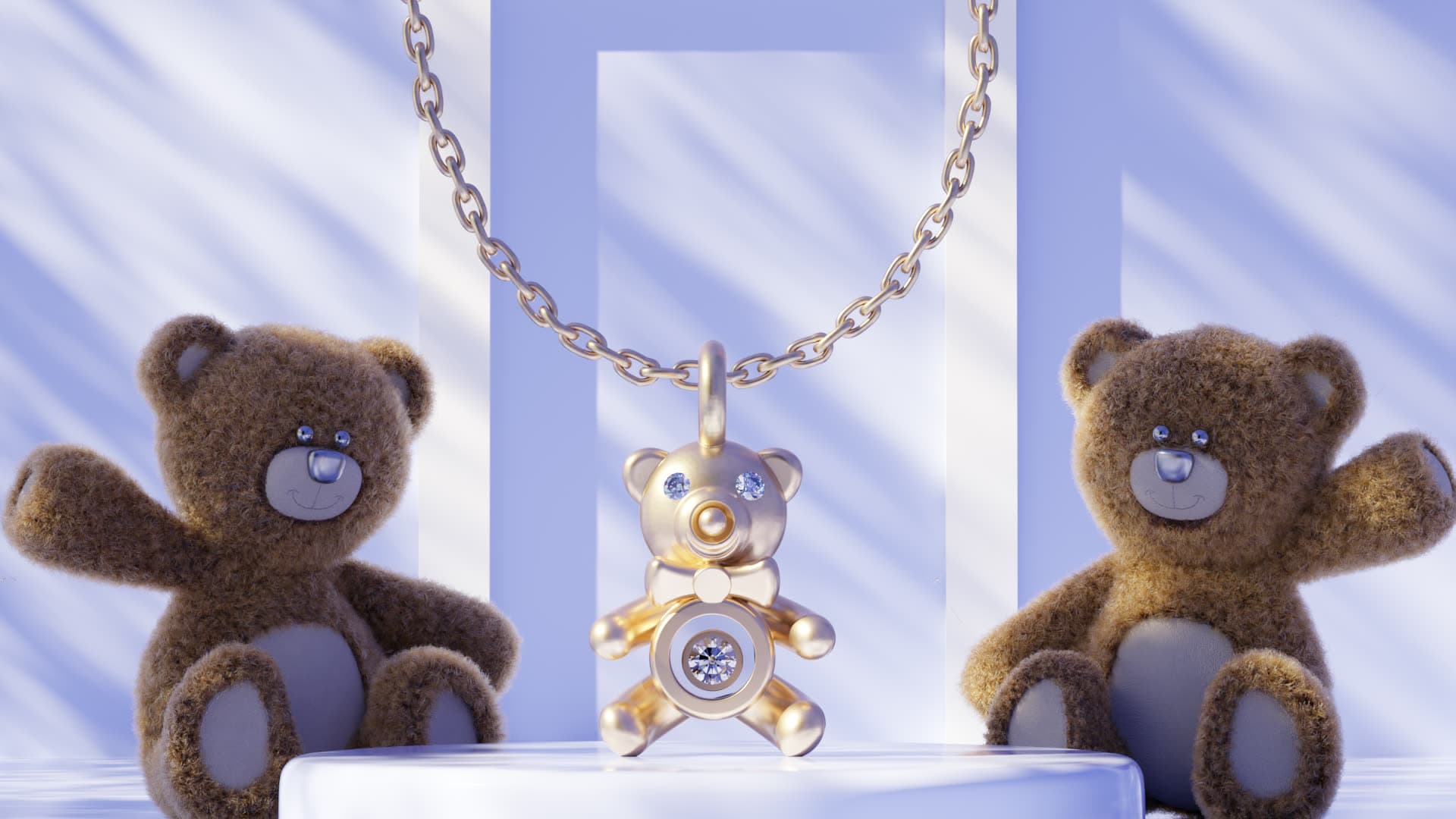
A playful, soft-lit teddy-bear scene for kids' jewelry, charms and pendants — plush props, a glossy podium and dreamy periwinkle light. Drop in your piece and render.
Some pieces need warmth and personality, not a hard studio edge — christening gifts, kids' charms, teddy-bear pendants and playful everyday jewelry. This free Blender studio is built exactly for that: two plush teddy-bear props framing a glossy podium, dreamy periwinkle light streaks and a soft, storybook mood. Everything is set up — the props, the environment, the light, the camera and jewelry-ready materials. Open it, place your own pendant, charm or ring on the podium, and render a warm, giftable image in minutes. It's the exact kind of scene we use in production, shared free for the design community.
What's included
- A playful teddy-bear scene — two plush bear props framing a glossy podium
- Soft, dreamy periwinkle lighting with gentle light streaks, set up and ready
- A reflective podium that mirrors your piece for a clean, giftable look
- A framed hero camera, ready to render
- Jewelry-ready Cycles materials — polished gold, silver and diamond shaders you can reuse
- A sample pendant placed in the scene so you can see the setup and swap in your own
- Everything packed into a single .blend — no missing textures or broken links
How to use it
- 1Download & open
Grab the .blend and open it in Blender 4.0 or newer. The teddy-bear props, lighting, camera and materials are already set up.
- 2Import your piece
Bring in your own pendant, charm or ring (File → Append/Import), or replace the sample piece on the podium.
- 3Position in the frame
Place your model where the sample sits so it's framed by the bears and catches the soft light, using the existing camera.
- 4Assign materials & render
Apply the included metal and stone shaders (or your own), then hit render for a warm, giftable product image.
Requirements
- Blender 4.0 or newer (free, blender.org)
- The Cycles render engine (included with Blender)
- A GPU is recommended for fast renders (NVIDIA OptiX or AMD HIP); it runs on CPU too
- About 1 GB of free disk space once opened
License
- Free for personal and commercial use — render and sell your own jewelry work with it.
- You may modify the scene, lighting and materials freely for your own projects.
- Please don't resell or redistribute the file itself, or pass it off as your own product.
- Attribution to 4rend Studio is appreciated but not required.
Get it — free
.zip → .blend (textures & environment packed) · 154 MB · free for personal and commercial use.
Download free — 154 MBFrequently asked
Yes — it's completely free to download and use, including for commercial jewelry work. We only ask that you don't resell or redistribute the scene file itself.
Blender 4.0 or newer, using the Cycles render engine (both are free from blender.org). A GPU makes renders faster, but it works on CPU too.
It's built for playful, giftable pieces — kids' and baby jewelry, charms, teddy-bear pendants, christening gifts and soft everyday designs. Place your piece on the podium and render.
Absolutely. Use the images for your store, portfolio, social media or client work. The scene is yours to render with — just don't resell the file itself.
Rather have us do it?
We model and render jewelry end to end — manufacturing-ready CAD and photoreal images, delivered worldwide.
Request a quote