
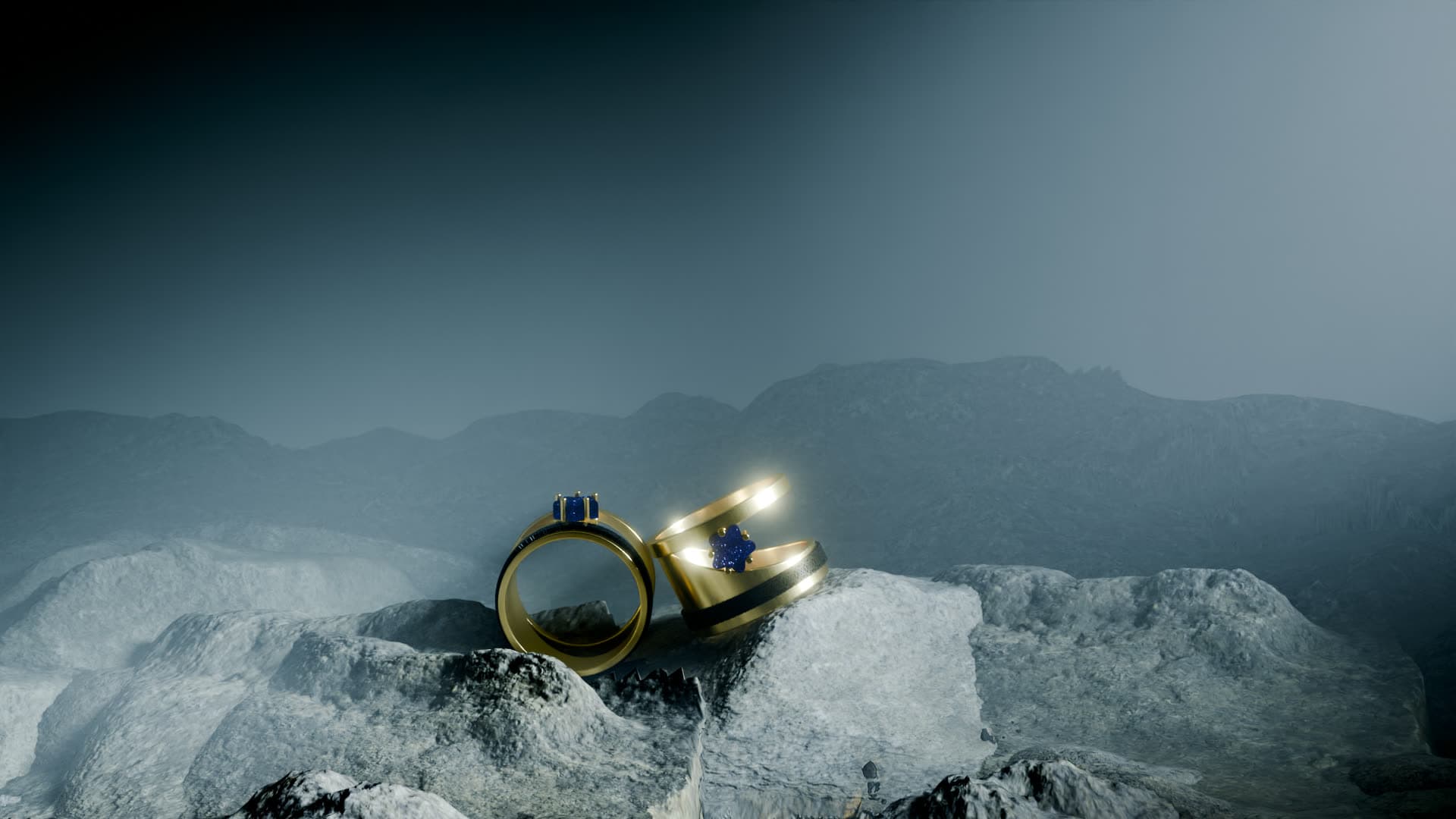
Cinematic Mountain — Blender Jewelry Studio
A ready-to-render Blender scene for jewelry — cinematic environment, lighting and camera already set up. Drop in your ring and hit render.
Setting up a beautiful render is often more work than making the model. This free Blender studio removes that step: a complete, cinematic scene — dramatic environment, studio lighting, a framed camera and jewelry-ready materials — all set up and ready to go. Open it, drop your own ring or pendant into the frame, and render a portfolio-grade image in minutes. It's the exact kind of scene we use in production, shared free for the design community.
What's included
- A cinematic environment scene — layered rock terrain, distant mountains and atmospheric depth
- A complete lighting rig tuned for metal and gemstones (key, fill and rim)
- A framed hero camera with depth of field, ready to render
- Jewelry-ready Cycles materials — polished gold and gemstone shaders you can reuse
- Sample ring models placed in the scene so you can see the setup and swap in your own
- Everything packed into a single .blend — no missing textures or broken links
How to use it
- 1Download & open
Grab the .blend and open it in Blender 4.0 or newer. Everything — lighting, camera, environment and materials — is already set up.
- 2Import your piece
Bring in your own ring, pendant or model (File → Append/Import), or replace the sample piece already in the frame.
- 3Position in the frame
Place your model where the sample sits, using the existing camera and lighting. Nudge it to taste — the hard part is already done.
- 4Assign materials & render
Apply the included gold and gemstone shaders (or your own), then hit render for a cinematic, portfolio-ready image.
Requirements
- Blender 4.0 or newer (free, blender.org)
- The Cycles render engine (included with Blender)
- A GPU is recommended for fast renders (NVIDIA OptiX or AMD HIP); it runs on CPU too
- About 2 GB of free disk space once opened
License
- Free for personal and commercial use — render and sell your own jewelry work with it.
- You may modify the scene, lighting and materials freely for your own projects.
- Please don't resell or redistribute the file itself, or pass it off as your own product.
- Attribution to 4rend Studio is appreciated but not required.
Get it — free
.zip → .blend (textures & environment packed) · 654 MB · free for personal and commercial use.
Download free — 654 MBFrequently asked
Yes — it's completely free to download and use, including for commercial jewelry work. We only ask that you don't resell or redistribute the scene file itself.
Blender 4.0 or newer, using the Cycles render engine (both are free from blender.org). A GPU makes renders much faster, but it works on CPU as well.
Open the .blend, then append or import your model (File → Append/Import), place it where the sample piece sits so it lines up with the camera and lighting, assign the included materials or your own, and render.
Absolutely. Use the images for your store, portfolio, social media or client work. The scene is yours to render with — just don't resell the file itself.
The environment textures and HDRI lighting are packed directly into the .blend so nothing is missing when you open it — that convenience is what makes the download sizeable.
Rather have us do it?
We model and render jewelry end to end — manufacturing-ready CAD and photoreal images, delivered worldwide.
Request a quote