
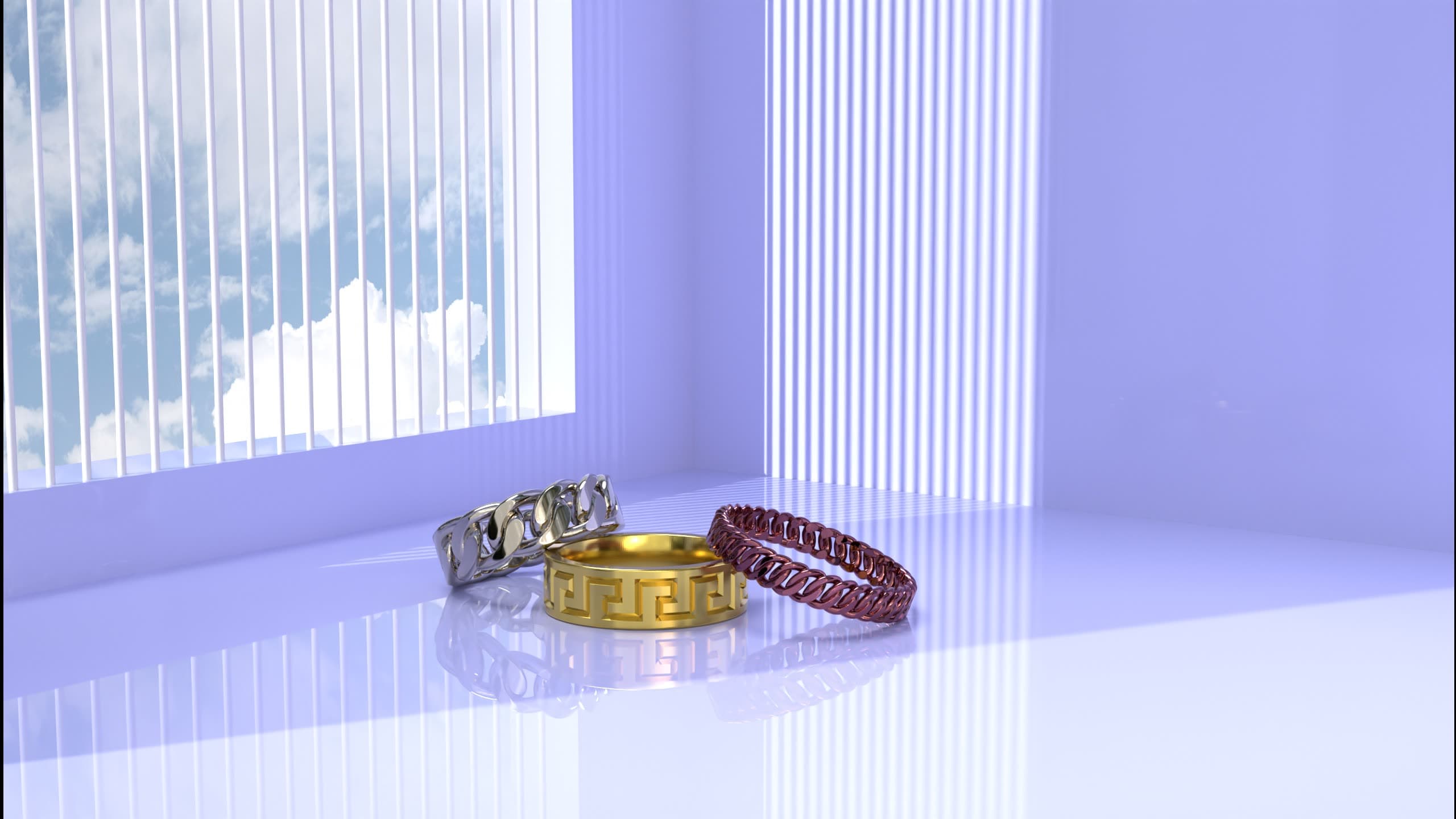
Bright Daylight — Blender Jewelry Studio
A bright, airy daylight studio for jewelry — soft light through blinds, a glossy reflective floor and a clean modern look. Drop in your piece and render.
Not every piece wants drama — sometimes you want light, air and a clean modern edge. This free Blender studio is a bright daylight room: soft sunlight filtering through vertical blinds, a glossy reflective floor and calm pastel walls, made for crisp, e-commerce-ready product shots. Everything is set up — the environment, the light, the camera and jewelry-ready materials. Open it, place your own ring, band or chain on the floor, and render a clean, contemporary image in minutes. It's the exact kind of scene we use in production, shared free for the design community.
What's included
- A bright daylight room — pastel walls, vertical window blinds and a sky view
- A glossy, reflective floor that mirrors your piece for a clean, modern look
- Soft natural lighting set up for crisp, e-commerce-ready product shots
- A framed hero camera, ready to render
- Jewelry-ready Cycles materials — polished gold, silver and rose-gold shaders you can reuse
- Sample pieces placed in the scene so you can see the setup and swap in your own
- Everything packed into a single .blend — no missing textures or broken links
How to use it
- 1Download & open
Grab the .blend and open it in Blender 4.0 or newer. The room, lighting, camera and materials are already set up.
- 2Import your piece
Bring in your own ring, band or chain (File → Append/Import), or replace the sample pieces on the floor.
- 3Position in the frame
Place your model where the samples sit so it catches the daylight and the floor reflection, using the existing camera.
- 4Assign materials & render
Apply the included metal shaders (or your own), then hit render for a clean, contemporary product image.
Requirements
- Blender 4.0 or newer (free, blender.org)
- The Cycles render engine (included with Blender)
- A GPU is recommended for fast renders (NVIDIA OptiX or AMD HIP); it runs on CPU too
- About 1 GB of free disk space once opened
License
- Free for personal and commercial use — render and sell your own jewelry work with it.
- You may modify the scene, lighting and materials freely for your own projects.
- Please don't resell or redistribute the file itself, or pass it off as your own product.
- Attribution to 4rend Studio is appreciated but not required.
Get it — free
.zip → .blend (textures & environment packed) · 151 MB · free for personal and commercial use.
Download free — 151 MBFrequently asked
Yes — it's completely free to download and use, including for commercial jewelry work. We only ask that you don't resell or redistribute the scene file itself.
Blender 4.0 or newer, using the Cycles render engine (both are free from blender.org). A GPU makes renders faster, but it works on CPU too.
Yes — the bright, clean daylight look and glossy floor are made for crisp, modern catalog and marketplace imagery. Place your piece where the samples sit and render.
Absolutely. Use the images for your store, portfolio, social media or client work. The scene is yours to render with — just don't resell the file itself.
Rather have us do it?
We model and render jewelry end to end — manufacturing-ready CAD and photoreal images, delivered worldwide.
Request a quote